Cellular OTA Updates: Ensuring Reliability, Security, and Scalability in IoT
Featured Blogs
Cellular OTA Updates: Ensuring Reliability, Security, and Scalability in IoT
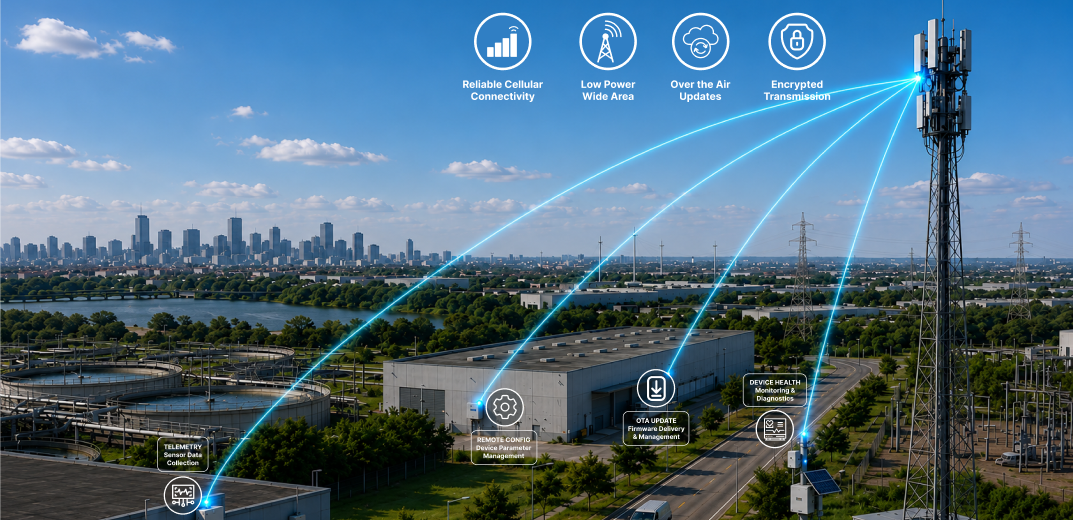
IoT devices deployed across agriculture, utilities, industrial facilities, and smart city infrastructure often operate in the field for years. As software bugs, security threats, and evolving requirements emerge, keeping these devices updated becomes essential. Cellular Over-the-Air (OTA) updates address this challenge by enabling firmware updates to be delivered remotely through cellular networks such as LTE-M and NB-IoT. This eliminates the need for costly on-site maintenance while ensuring devices remain secure, reliable, and up to date throughout their operational lifecycle.
Categories
- All
- IoT Security & Device Commissioning
- Embedded OTA Solutions
- Low-Power Embedded Systems
- Cellular IoT
- IoT Dashboard Solutions
- Machine Vision
- Healthcare IoT
- Smart Mining
- IoT-powered smart parking
- Clean Tech & Sustainability
- Predictive Maintenance
- LoRaWAN Security
- Automotive
- IoT Device Management
- SecureIoT
- SecureByDesign
- IoT Technology / Smart Systems
- Wearable Technology
Cellular OTA Updates: Ensuring Reliability, Security, and Scalability in IoT
Why Cellular OTA Matters?
The success of an IoT deployment does not end when a device is installed. In many ways, deployment is only the beginning of the product lifecycle.
As devices continue operating in the field, software improvements, security patches, bug fixes, and feature enhancements become necessary. Without a remote update mechanism, maintaining large fleets of devices would require significant operational resources and ongoing service visits.
Cellular connectivity provides a practical solution to this challenge. Unlike Wi-Fi-based systems that depend on local network infrastructure, cellular-enabled devices can communicate directly with cloud platforms over wide geographic areas.
This makes Cellular OTA particularly valuable for deployments in remote or distributed environments where local connectivity may not be available.
By enabling secure remote firmware management, Cellular OTA helps organizations:
- Reduce maintenance and service costs
- Improve device reliability and performance
- Quickly address software issues and security vulnerabilities
- Extend product lifespan through continuous improvements
- Manage large fleets of devices efficiently
MCUboot Architecture and Reliable Firmware Management:
A successful Cellular OTA system relies on more than simply downloading new firmware. It also requires a reliable mechanism to safely manage firmware upgrades and recovery processes.
Modern OTA systems commonly use a bootloader architecture that manages firmware validation and activation during startup. A widely adopted approach is the dual-slot architecture, where the currently running firmware is stored in one memory slot while the newly downloaded firmware is stored in another.
Before activating the new firmware, the bootloader verifies that the image is valid and complete. If any issue occurs during the update process, the system can automatically revert to the previous firmware version. This approach significantly improves update reliability and helps prevent devices from becoming unusable after a failed update.
Cellular OTA Update Workflow:

Step 1: Firmware Release and Cloud Deployment
The process begins when a new firmware version is uploaded to a cloud-based device management platform.
The firmware package is stored on a secure server along with metadata such as version information, compatibility details, release notes, and update policies. These policies determine which devices should receive the update and when deployment should occur.
Step 2: Device Connectivity and Update Check
The IoT device periodically establishes a connection with the cloud platform through a cellular network such as LTE-M or NB-IoT.
During this communication, the device reports its current firmware version and checks whether a newer firmware release is available.
Step 3: Firmware Download Through Cellular Networks
If a new firmware version is available, the device initiates the download process.
Because many IoT devices operate in environments where connectivity may be intermittent or bandwidth is limited, firmware images are typically downloaded in smaller data segments.
This allows interrupted downloads to resume from the last successful point rather than restarting the entire transfer.
Step 4: Storage in Secondary Memory
Instead of overwriting the currently active application, the downloaded firmware image is stored in a secondary memory partition.
This approach ensures that the device continues operating normally while the new firmware is prepared for installation.
Step 5: Image Validation and Integrity Verification
Once the download is complete, the bootloader performs a series of validation checks.
These checks verify the integrity of the firmware image and confirm that the update has not been corrupted during transmission or storage. Only validated firmware images are permitted to proceed to the installation stage.
Step 6: Firmware Activation and Controlled Reboot
After successful validation, the device performs a controlled reboot.
During startup, the bootloader activates the newly downloaded firmware and transfers execution to the updated application.
Step 7: Firmware Confirmation and Rollback Protection
Once the updated firmware begins running, a confirmation mechanism verifies that the application is functioning correctly.
If the firmware operates as expected, the update is permanently accepted. If the device encounters issues during startup or operation, the bootloader automatically restores the previously working firmware version.
This rollback protection ensures high reliability and minimizes the risk of device failure in the field.
Step 8: Update Reporting
After a successful update, the device reports its status back to the cloud platform.
Administrators can monitor deployment progress, track update success rates, identify failed updates, and manage firmware versions across large fleets of connected devices.
This visibility becomes increasingly important as deployments scale to hundreds, thousands, or even millions of devices.
Real World Use Cases:

Key Benefits of Cellular OTA in IoT Industries:

As connected devices become increasingly distributed and software-driven, Cellular OTA has evolved from a maintenance feature into a fundamental requirement for modern IoT deployments. The ability to remotely update, secure, and enhance devices not only reduces operational costs but also ensures long-term product reliability and scalability.
This is where Dotcom IoT helps organizations transform connected products into future-ready solutions. With expertise spanning embedded hardware, firmware development, cloud integration, remote monitoring, and OTA update management, we enable businesses to deploy, manage, and continuously improve IoT devices throughout their entire lifecycle.
“As IoT ecosystems continue to expand, Cellular OTA will remain a key enabler of scalable, reliable, and future-ready connected products.”
Recent Post
Get In Touch With Us
Are You Ready To Grow Your Business With Us?
Drop us a message
- Dotcom IoT : Headquarter

FC 3011, F Tower, Central Wing, Next to ICICI Bank, Bharat Diamond Bourse, G Block, Bandra Kurla Complex, Bandra East, Mumbai 400051, India - Dotcom IoT : R&D Centre
410/4th Floor, Sunshine Commercial Complex, Hans Society, Mota Varachha, Surat, Gujarat 394101. 
USA
20W 47th ST, Suite#1501-A New York, NY 10036-3735.
South Korea
369, Sangdo-Ro, Venture Center, Soongsil Univ., Dongjak-Gu Seoul, South Korea.- +91 85919 00346

- sales@dotcom.co.in

Tag:
#Remote Device Updates#Wireless Firmware Update#OTA Updates via CellularShare:
Milan Pipaliya is an Embedded Firmware Developer focused on ultra-low-power, real-time embedded systems for Industrial IoT and connected devices.